

Everything MoneyLights does for your business.
A method for your money, a tool that keeps it alive, and an agent that answers for it. Take a look inside.
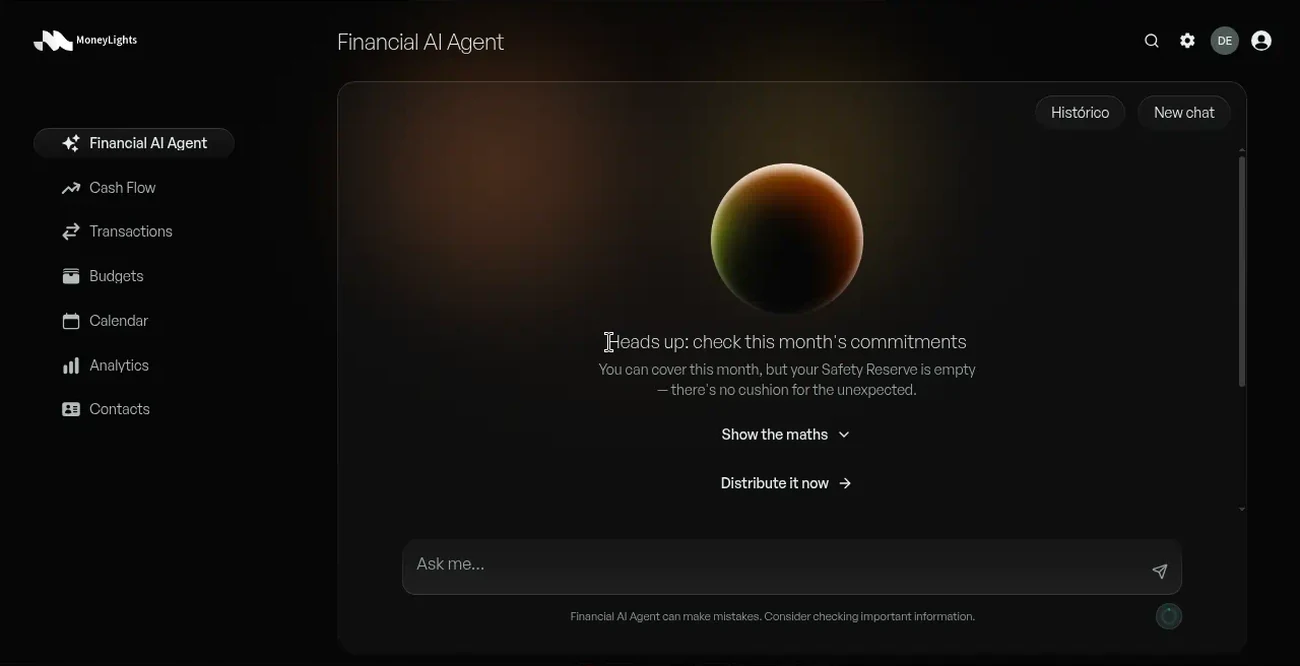
Talk to your money. Get answers with numbers.
Your AI agent sees your data, and only yours. It answers with real figures, fixes categories for you and warns you when something needs attention.
- ✓Tax calculations from official tables. It doesn't make numbers up.
- ✓Tax knowledge tailored to your country (e.g. the real cost of hiring someone)
- ✓The Financial AI Agent speaks your language
Your money, live.
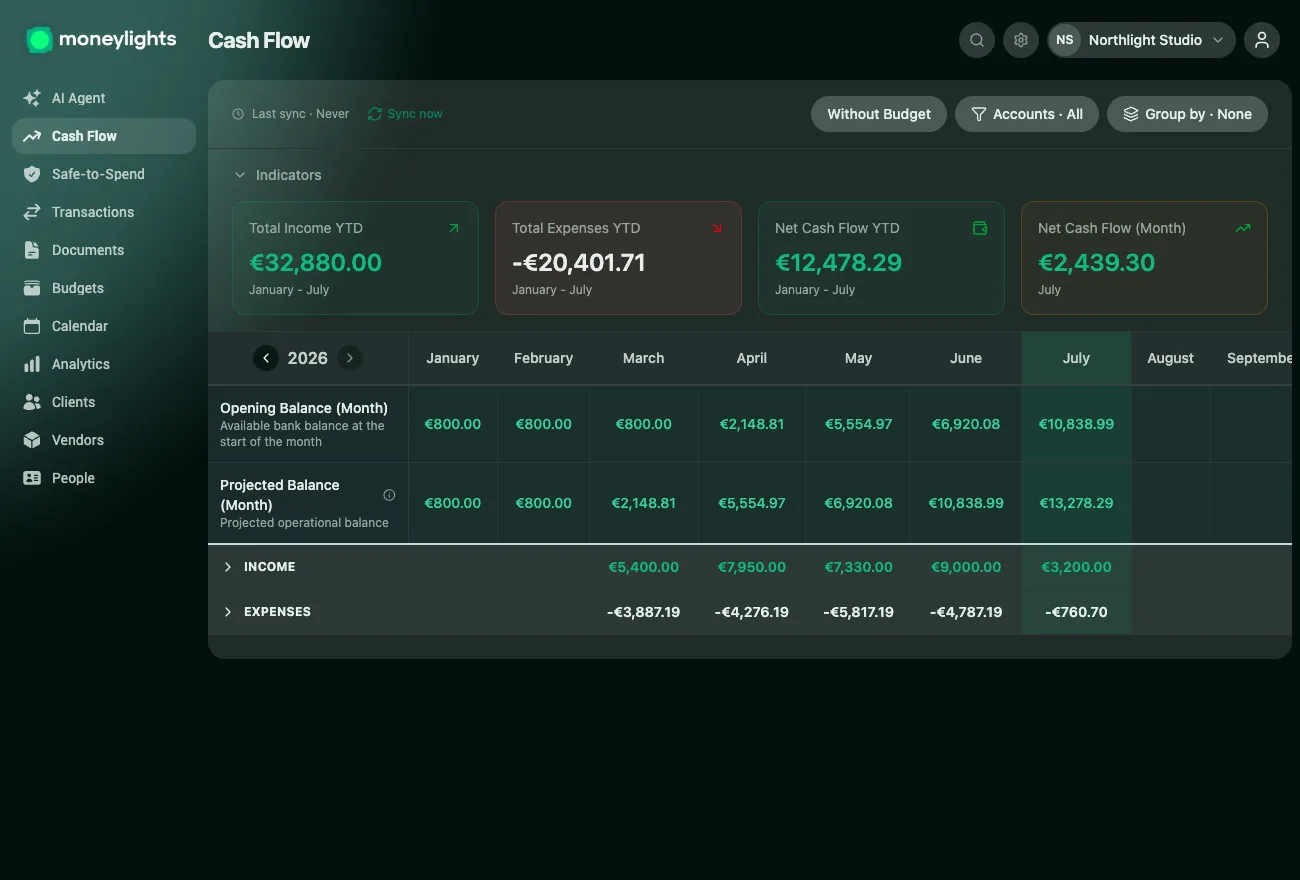
Money in and money out update on their own from the bank, across all accounts at once. And a simple traffic light tells you, at a glance, whether you're doing fine.
- ✓Real-time flow, with several accounts in a single view
- ✓The health traffic light: Calm, Attention or Risk
- ✓A forecast of the coming months, to answer "will I make it?"
- ✓How your money evolves over time, without spreadsheets
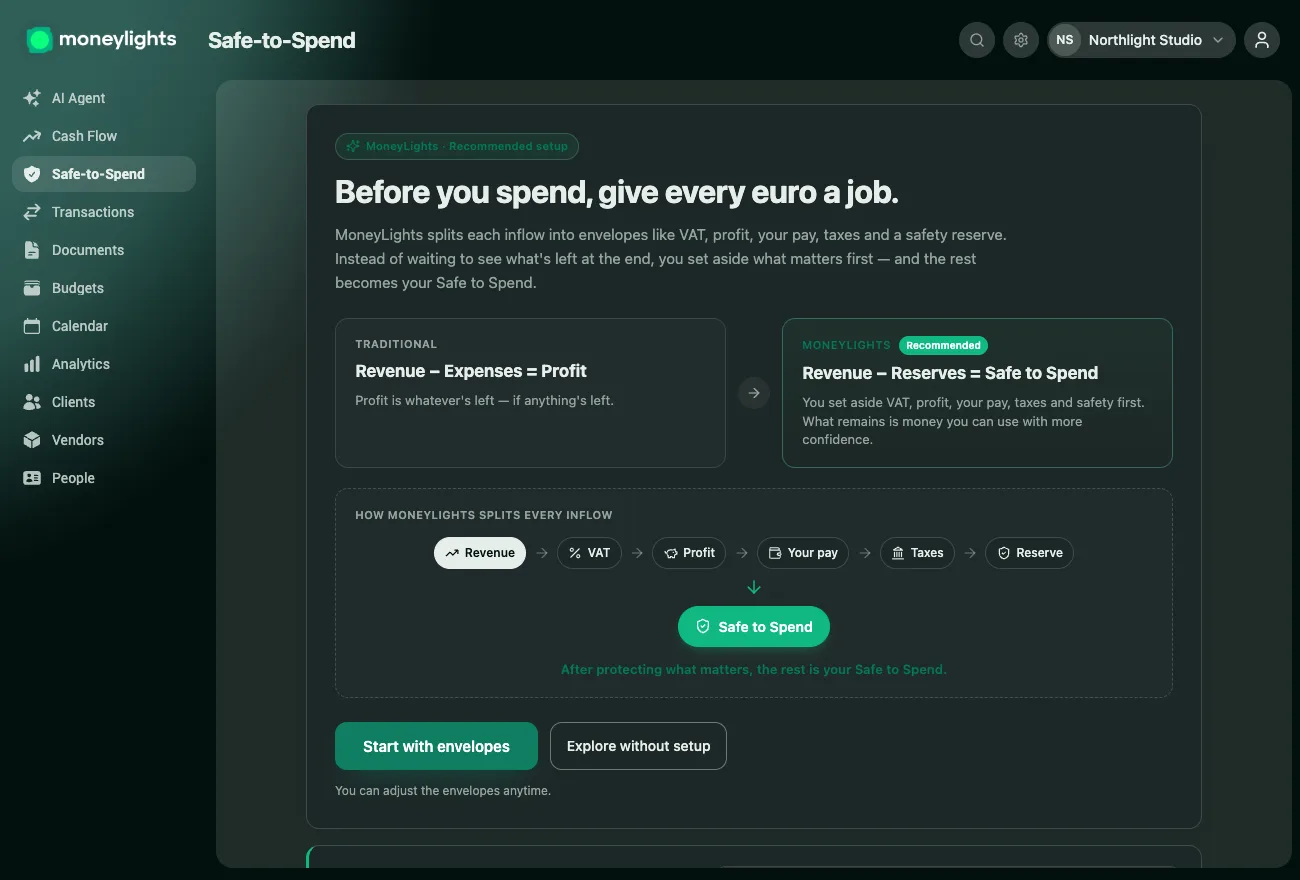
The number that replaces your balance.
As soon as revenue comes in, MoneyLights calculates what belongs to profit, VAT and reserves, helps you set it aside into real accounts and tracks whether it's actually there. What's left is your Safe-to-Spend.
- ✓Automatic VAT reserve calculation
- ✓Envelopes in real bank accounts, using the ones you already have
- ✓Tells you exactly how much to put where, and warns you if something's short
Categorised on their own. Connected to the bank.
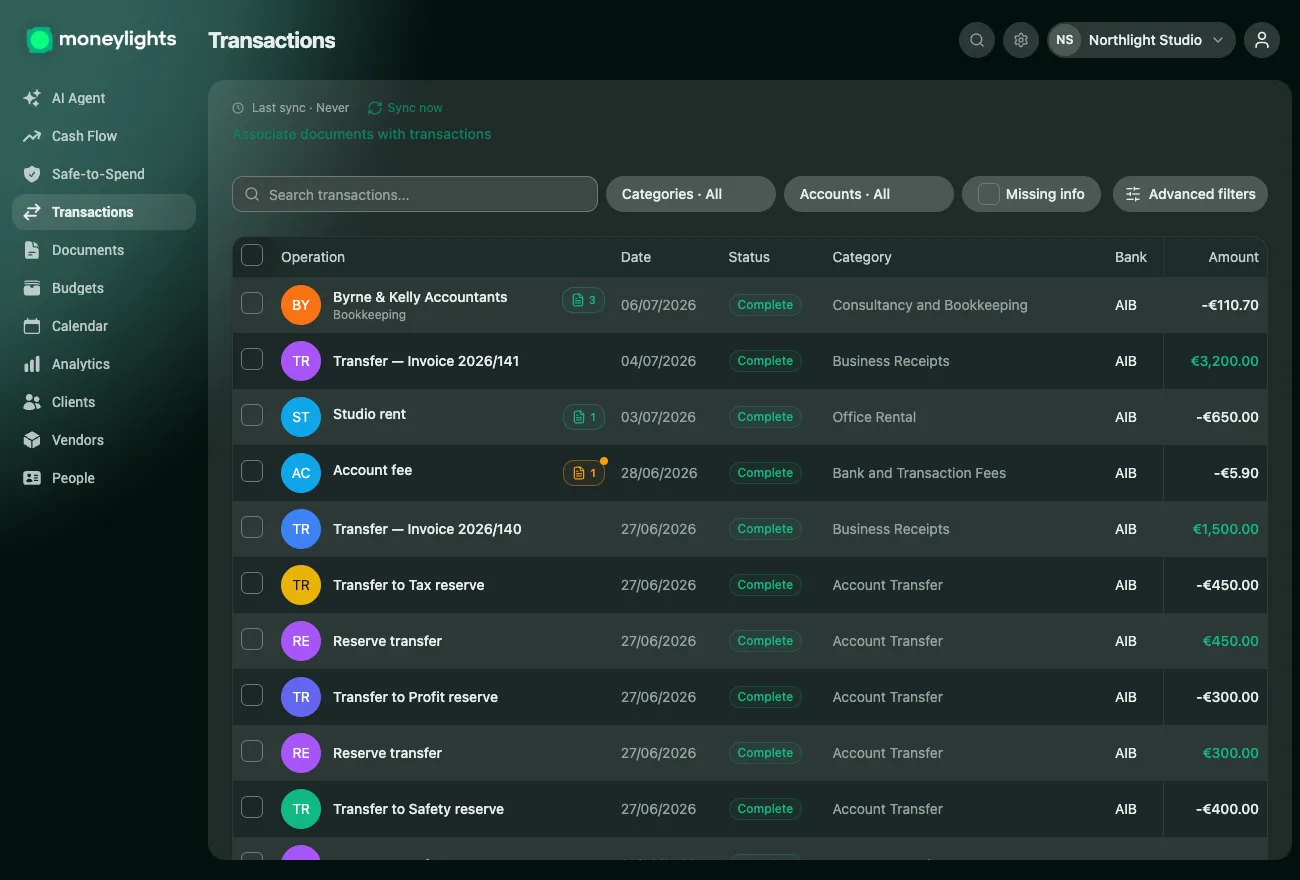
Connect your bank once, through certified open banking (PSD2), and forget about imports. Every transaction syncs and categorises itself, and the rules learn from your corrections.
- ✓Automatic syncing throughout the day
- ✓Automatic categorisation, with rules that learn from you
- ✓Several banks in the same view
- ✓Read-only access. We never move money or see your credentials.
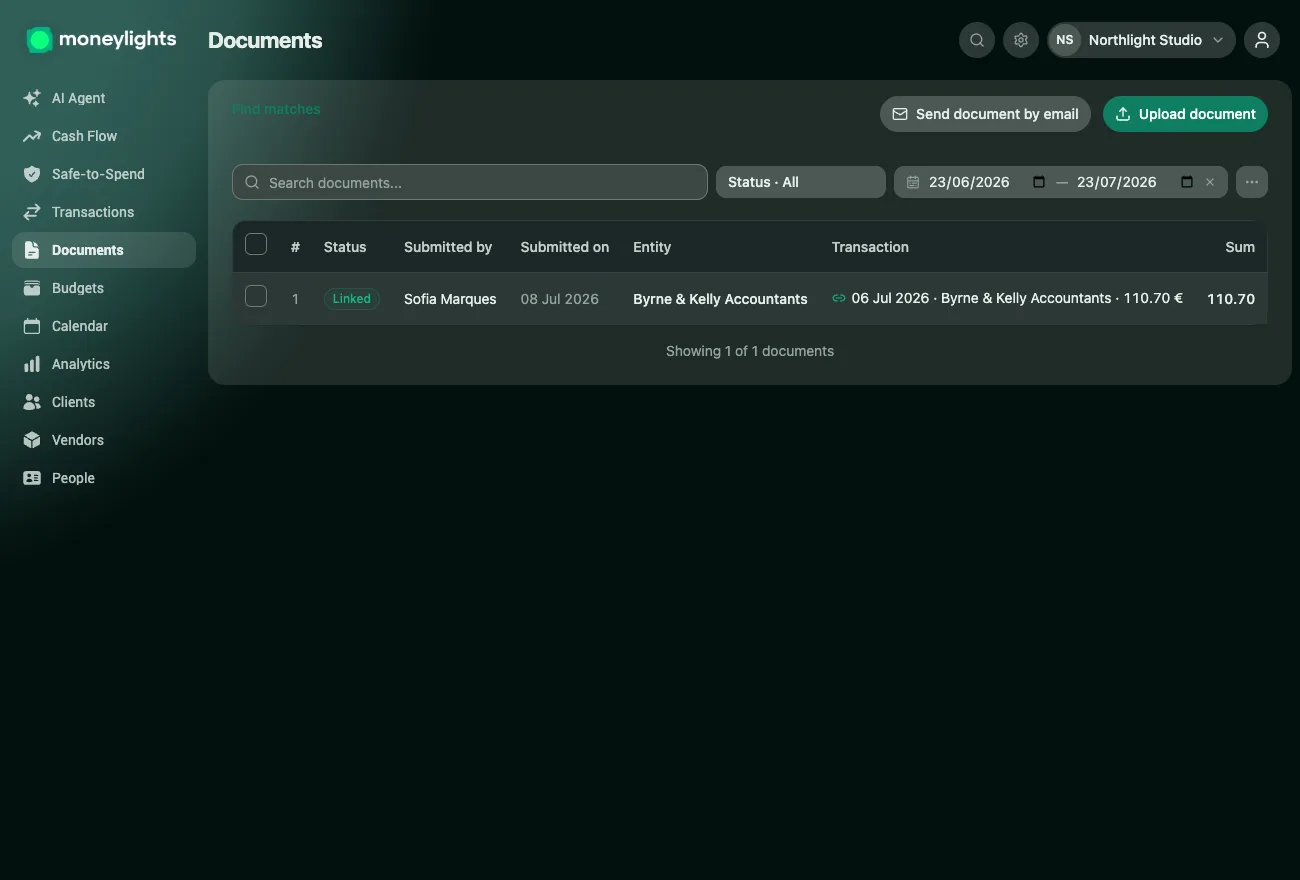
Every invoice in its place. On its own.
Forward invoices to your MoneyLights email address or snap a photo. Each document sticks to the right transaction, and one click checks for any missing matches.
- ✓A dedicated email address for your company
- ✓Automatic document ↔ movement matching
- ✓At month-end, you hand everything to your accountant — no shoeboxes
Plan what's coming.
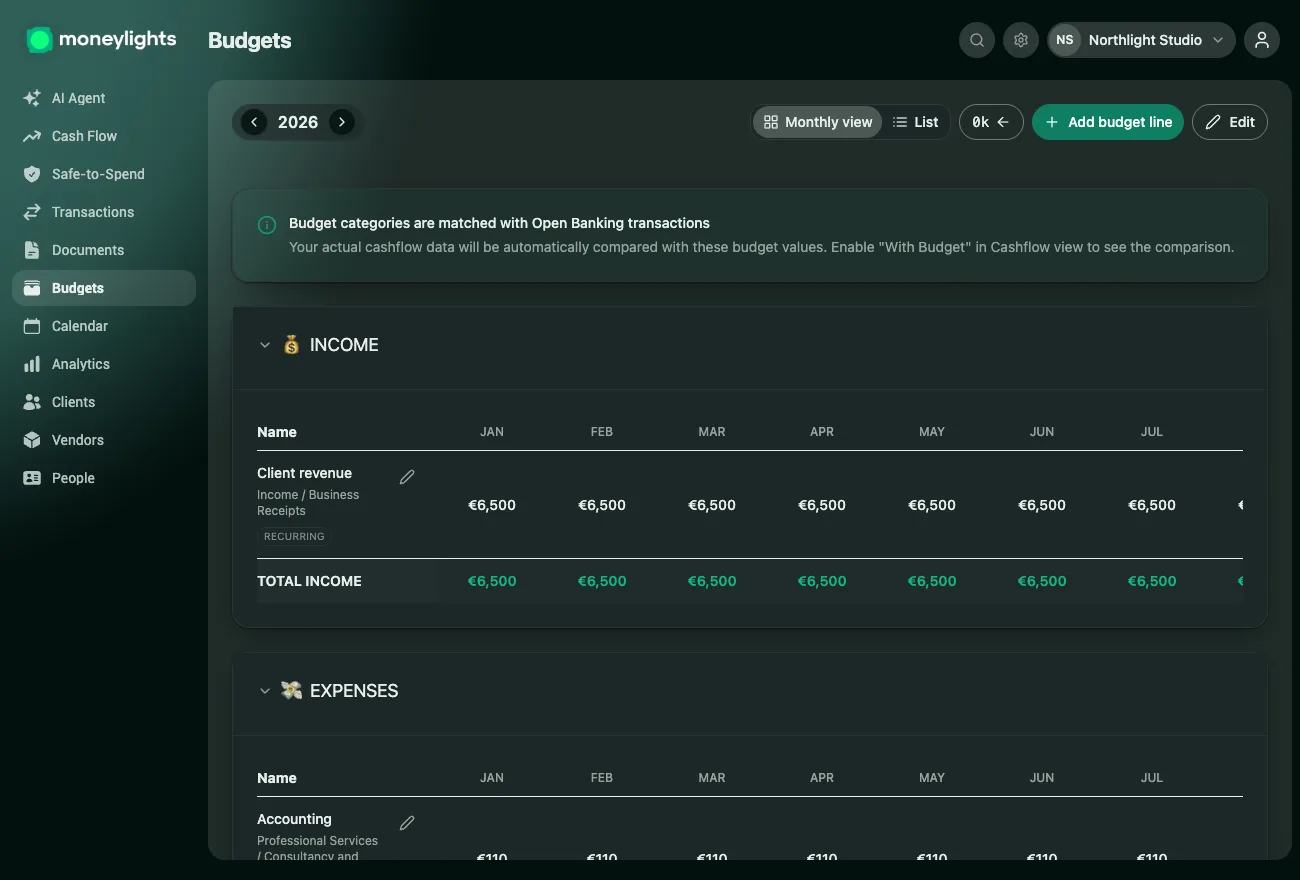
You set budgets by category and MoneyLights tracks actual against planned, month by month. No surprises at month-end.
- ✓Budgets by category
- ✓Reminders so nothing slips through
- ✓Track actual vs planned, in every category
Where you earn, where you spend.
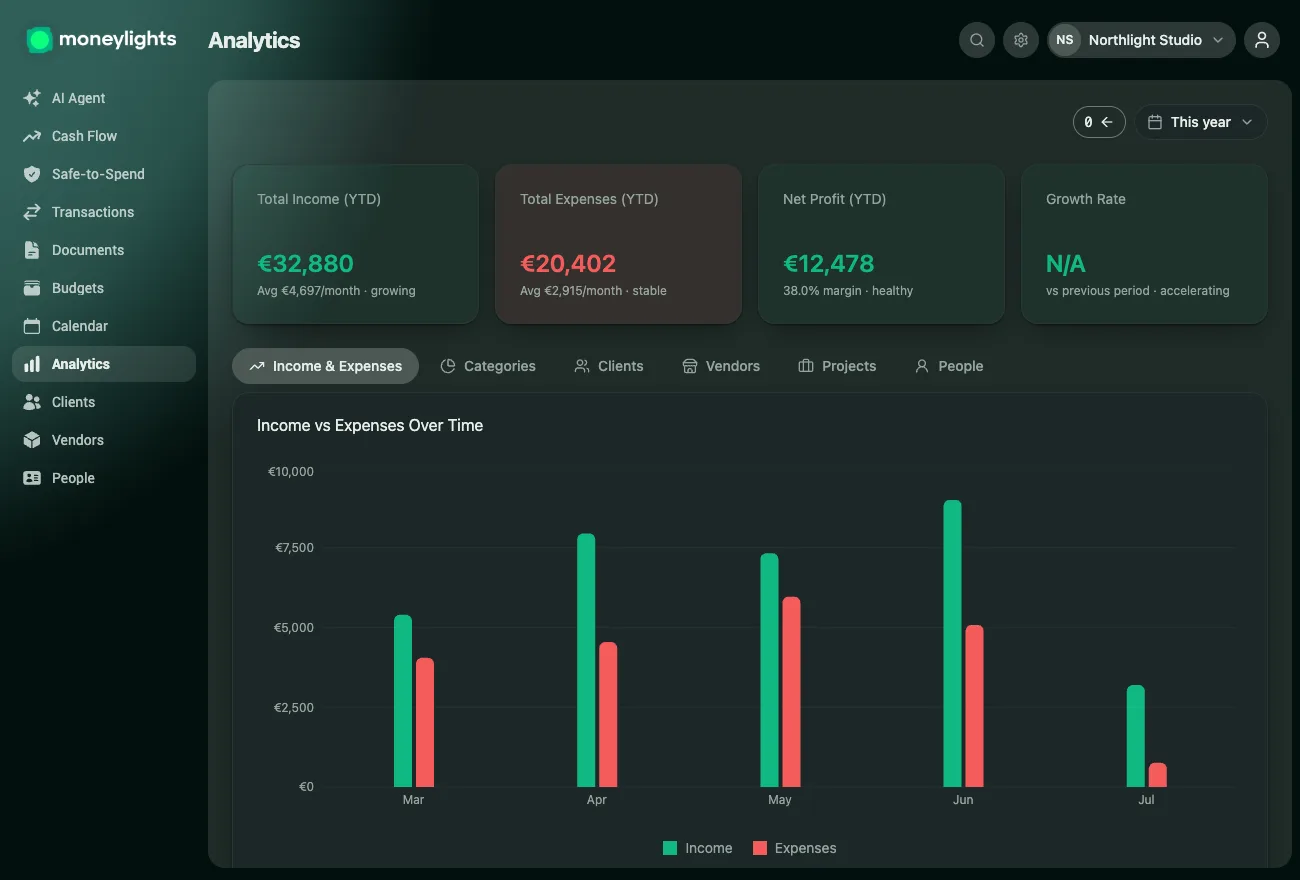
Clear reports that show where the money goes, how it evolves over time and which clients and projects are actually profitable. Without building a spreadsheet.
- ✓Reports by category, merchant and period
- ✓Compare this month with the last and spot the trends
- ✓Profitability by client and by project
And more
Team and permissions
On the Team plan, up to 5 people with different roles and access.
Notifications and alerts
Warnings at the right moment, before problems grow.
Global search
Find any transaction, document or client in an instant.
Available in 11 languages
The interface speaks your team's language.
Works on mobile
Opens in the browser and installs like an app.
Active sessions with remote sign-out
See connected devices and end sessions remotely.